Cloudflare OS tested: the sandbox without fetch is the best idea in the project
What this piece is and is not. I have been running Cloudflare OS locally since early August, with a gatekeeper I wrote myself and a daily scheduled task that actually drives production work. Everything below was measured on my own installation on 21 August 2026. I have not deployed it on Cloudflare itself, so I say nothing about cost and scale in the cloud. Open source, so no affiliate link — only the repo.
What it is, and what it is not
Cloudflare OS is not an operating system and not a chatbot. It is a working environment in which an
agent builds and drives applications for you, running on the Workers runtime. Cloudflare built
it internally and then released it under Apache-2.0. You do not need a Cloudflare account
to try it: workerd, the runtime underneath, is open source itself and
runs fine on your laptop.
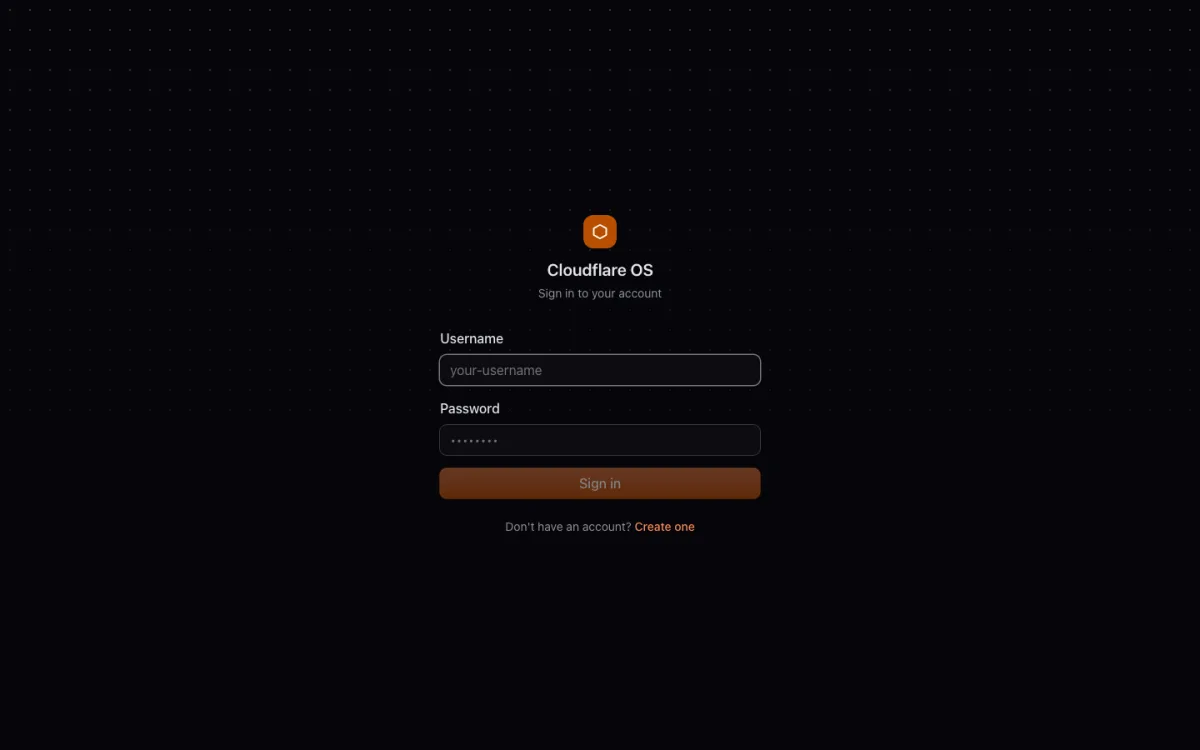
pnpm run-local
# webinterface op http://localhost:8787, data in .wrangler/| Measurement (21 August 2026) | Value |
|---|---|
| Stars on GitHub | 5.100 |
| Forks | 395 |
| Watchers | 15 |
| License | Apache-2.0 |
| Gatekeepers in the repo | 16 (plus my own) |
| Status | early access, version 2 is a complete rewrite |
| External contributions | not accepted, apart from trivial bug fixes |
Those last two rows determine how you should read this project. Five thousand stars and fifteen watchers: this is not a community project but an internal Cloudflare tool thrown over the wall. That is not a bad thing — it is good tooling — but do not expect an ecosystem and do not count on your pull request landing.
Gadgets: applications the agent writes on the spot
A gadget is an application the agent builds for you while you talk about it. Not a template from a library, but code that is written at that moment and runs immediately. You can open the code, change it, and share the instance the way you share a document.
The interesting part is what a gadget is not allowed to do. The sandbox it
runs in has no internet. Literally: fetch() does not work. The documentation in the
source code is blunt about it — a gadget reaches the outside world only through its
bindings, the env-API of Workers.
That sounds like a limitation and in practice it is the most important security measure in the whole project. An agent that is allowed on the internet is an agent that can carry out a malicious instruction from a web page and send the result somewhere. Here that is impossible: the code can only talk to what you have explicitly connected. If you want to know how to measure whether a setup really holds up against instructions that arrive through content, you will find the method in indirect prompt injection: measuring resilience — it is exactly the attack this architecture answers.
Gatekeepers: what it is really about
If gadgets are not allowed out, something else has to be. Those are the gatekeepers. A gatekeeper is an intermediate layer with one external service behind it — GitHub, Slack, Notion, Google, Linear, Supabase, Home Assistant, Spotify, email, MCP servers. The repo contains sixteen of them. They do two things at once: they give the agent access, and they keep a record of what it did with it.
The clever part is the approval model. Most agent tools do this synchronously: the agent stops, you get a pop-up, you click yes, the agent continues. That stops working as soon as a task has twenty steps, because then you are clicking twenty times and at step seven you approve without thinking. Cloudflare OS turns it around: the agent executes, every action is logged with a type, and you review afterward in bulk. Whatever does not hold up on review, you can roll back.
Per action type you can also switch on automatic approval. In my own setup I have done that for exactly one type: starting the daily newsletter. Everything else still asks for a human.
I wrote my own gatekeeper to get that working. That was not hard: a class
with a few methods, an action type with a label, and an implementation of
applyAction and rejectAction. The scheduled task that calls it every morning at
seven has run without intervention ever since. If you would rather do something like this with an
off-the-shelf workflow engine instead of with code, you can get the same result through
local agentic workflows with n8n
and Ollama; the difference is that there you are tied to a graphical editor and here to
TypeScript.
Where it went wrong
The agent delivered a gadget that only pretended
My first attempt to have the newsletter gadget built produced something that looked completely finished: neat code, a tidy interface, a status message saying the task had been scheduled. Only it did nothing. The call to my gatekeeper was simulated — there was a function that returned a plausible answer without ever calling anything.
That is not unique to Cloudflare OS — it is what weaker models do when a task is just a bit too hard — but it does expose the weak spot in this design. The whole promise is that the agent writes applications for you. The quality of that promise is therefore exactly the quality of the model you put underneath it, and nothing in the interface warns you when that model is out of its depth. The second attempt only threw errors; only with a stronger model and exactly prescribed code did something usable come out.
Lesson. Read the code of a gadget before you trust it, even if the agent says it works. Run it once and check the effect on the other side, in the system it is supposed to touch. How to approach this systematically instead of by feel is in how to evaluate an AI agent: you measure task success by the result, not by the agent's report.
Six duplicate hooks
When the daily task was scheduled, six virtually identical hooks turned out to have been created, all of them active. One of them had a decent description, the rest was noise from earlier attempts. There is no visible protection against double scheduling, so it is up to you to check what is actually going to fire. For a task that starts a publication chain every morning, firing six times is not a detail.
The critical note
Early access is not an understatement here. The repo says itself that there are many sharp edges and that version 2 is a complete rewrite. Count on breakage.
It is Cloudflare-shaped. Durable Objects, Dynamic Workers, Facets —
the architecture leans heavily on properties of the Workers platform. Running locally works
fine thanks to workerd, but anyone who wants this in production for real ends up at
Cloudflare anyway. That is a strategic choice by the publisher, not a coincidence.
No contributions means no ecosystem. Sixteen gatekeepers sounds like a lot, but whatever is not included you write yourself — and you will not get it in. I keep my own gatekeeper as a local commit on top of the repo, and that is how it stays. With every upstream update I get to repair whatever clashes myself.
What I did not test. Deploying on Cloudflare itself, multiple users in one workspace, and the MCP portal. So I make no claim about cost in the cloud.
Who this is for
Yes: you want agents to do things in real systems and you consider the
question “who said yes here” more important than the question of how fast it goes. The
approval and rollback model is the best I have seen in this category, and the
sandbox without fetch() is a matter of principle instead of a setting.
No: you are looking for a ready-made assistant, or you want to contribute to an open-source project. It is not the first, and the second is not allowed.
Verdict
Cloudflare OS solves a problem that most agent tools work around: how do you give an agent real authority without having to trust it blindly. The answer — a sandbox that may do nothing, gatekeepers that log everything, and approval afterward in bulk — is better thought through than what I see elsewhere.
Against that stands the fact that the building itself is unreliable as long as the model underneath is not strong enough, that there is no protection against double scheduling, and that you are tied to a project you are not allowed to contribute to. It is someone else's tooling, on loan. Excellent tooling — but you are not a co-owner.
Compared with DeepSeek Harness the difference in philosophy stands out. DSH makes everything replaceable and leaves security to you; Cloudflare OS makes security immovable and leaves the building to the agent. Anyone putting together their own stack can run them side by side without trouble: the harness to build with, the gatekeepers to decide what may go out.
Repo:
github.com/cloudflare/cloudflare-os
· Apache-2.0
Run locally: pnpm run-local → http://localhost:8787
· requires Node and pnpm (tested with 22.23 and 11.17); data ends up in .wrangler/
Tested: locally on workerd, macOS (Apple Silicon), August 2026
Cost: free locally; in the cloud you pay for Cloudflare Workers plus the
model you put underneath it